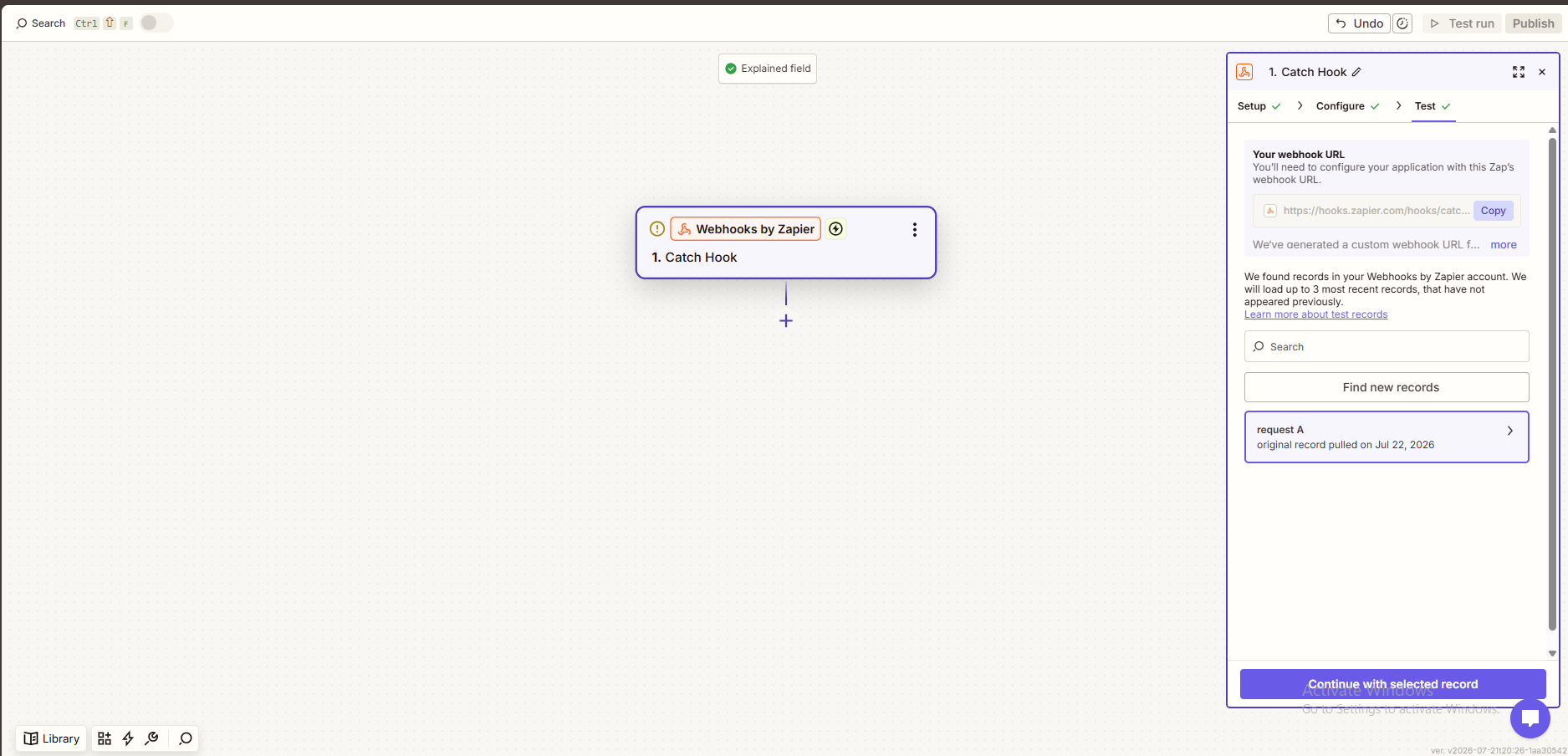
Easy Peasy Forms helps you collect the information your team needs. With webhooks, that information can also move into the other tools you already use every day.
One useful option is Zapier. Easy Peasy Forms can send new form submissions to Zapier through a webhook, allowing each entry to trigger a Zap and continue into another app.
That means a submitted form can become a Google Drive document, a spreadsheet row, an email notification, a team message, or the start of another workflow.
A Practical Way to Automate Form Entries
Zapier is useful because it connects many different apps without needing a custom build for every single workflow.
By using Easy Peasy Forms webhooks with Zapier, a form submission can be passed into a Zap as soon as the entry is created. Zapier can then send that data wherever it needs to go.
For example, a contact form could add a new row to Google Sheets. An intake form could create a Google Drive document. An internal request form could send a notification to the right team.
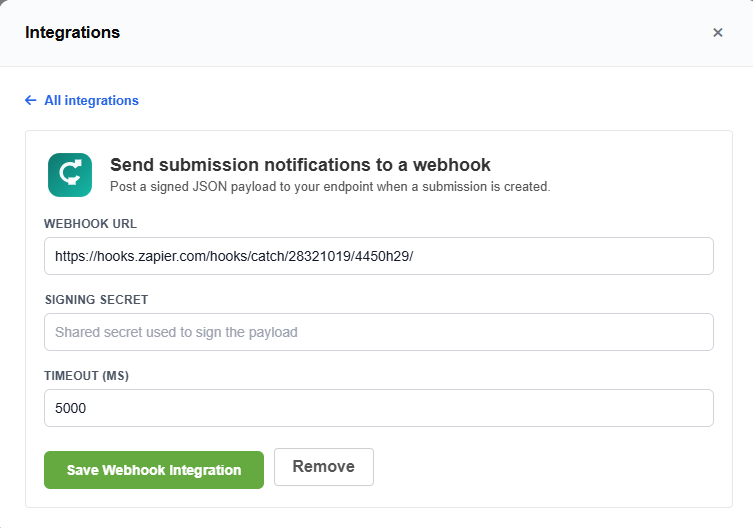
Example: Creating a Google Drive Document
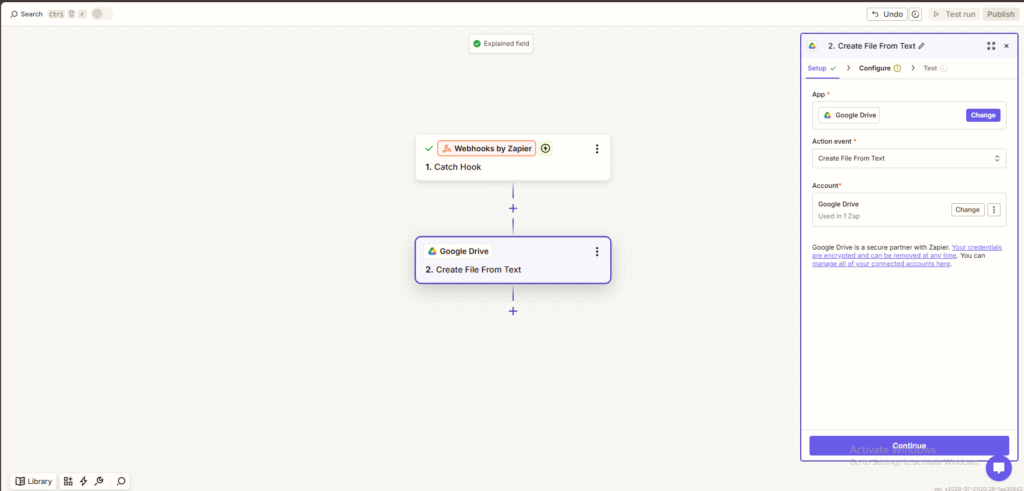
As a simple proof of concept, we tested an Easy Peasy Forms submission with Zapier and Google Drive.
When the form was submitted, Zapier received the entry data through a webhook. The Zap then used that data to create a new Google Drive document.
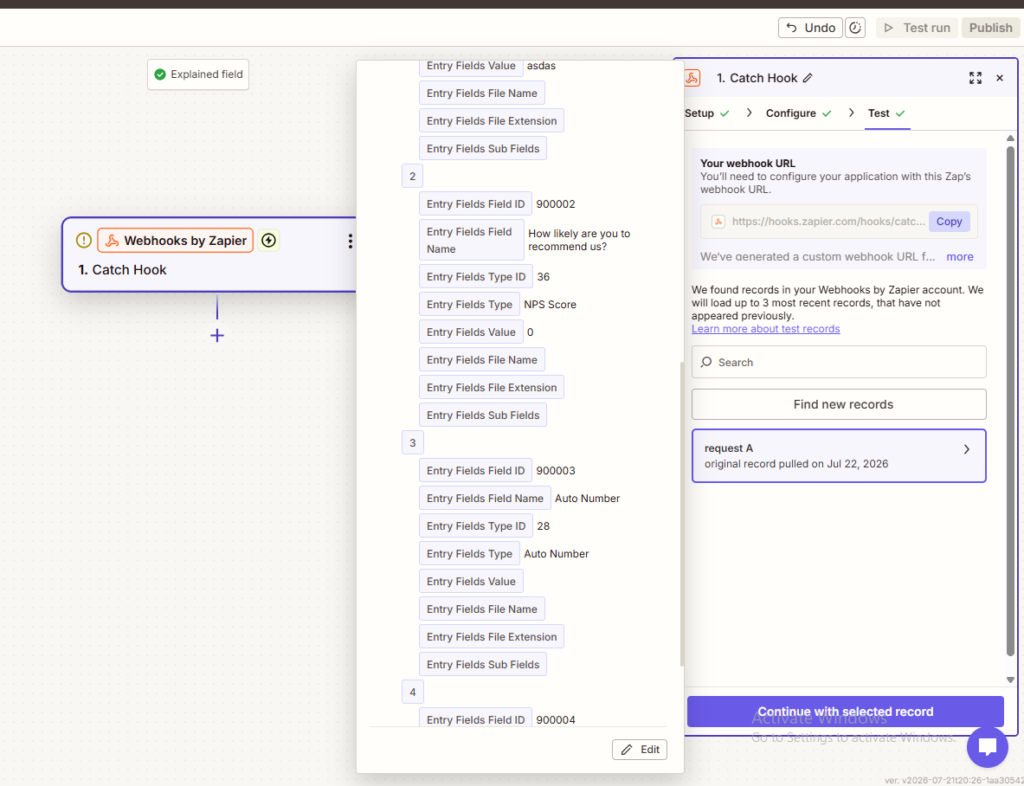
The entry data included details such as the form ID, entry ID, created date, and submitted field values.
What This Makes Possible
Once Zapier has the form entry, the same approach can be used for many different workflows.
Form submissions could be used to:
- Create a Google Drive document
- Add a row to Google Sheets
- Send an email notification
- Create a task in another system
- Post a message to a team channel
- Start a follow-up workflow
This gives teams a flexible way to move form data into the places where work already happens.
Why Webhooks Are Useful
Webhooks are a simple way for one system to tell another system that something has happened.
In this case, Easy Peasy Forms sends a webhook when a form entry is created. Zapier catches that webhook and makes the entry data available to the next step in the Zap.
That keeps the setup flexible. Instead of building a separate integration for every destination app, Zapier can act as the bridge.

A Simple Integration Path
This webhook approach gives Easy Peasy Forms a practical way to work with Zapier.
It is useful for teams that want their form submissions to do more than sit in an entry list. Entries can be collected in Easy Peasy Forms, then passed into Zapier to continue the workflow in another tool.
For businesses that already use Zapier, this makes Easy Peasy Forms easier to fit into existing processes.