Some forms are not just about collecting information. They are about making something happen.
A booking form needs to become an appointment. A site visit request needs to land on the right calendar. A consultation enquiry needs a date, time, and enough detail for the team to turn up prepared.
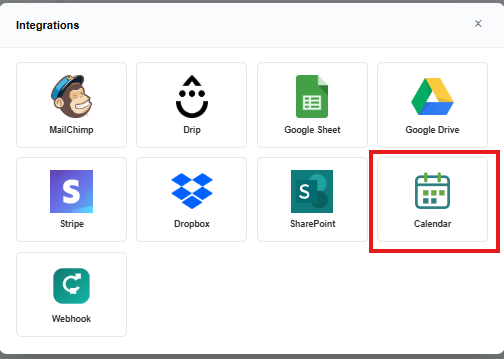
That is where the new calendar integration comes in.
With Easy Peasy Forms, you can connect a form entry to a calendar event so the important date does not stay trapped inside an inbox or spreadsheet. When someone submits the form, the calendar can be updated with the details your team needs.
Why this helps
Calendar-connected forms are useful for:
- Client appointments
- Consultation bookings
- Internal meeting requests
- Site visits
- Training registrations
- Follow-up calls
- Service bookings
Instead of copying details from a submitted form into a calendar by hand, the form can do more of the work for you.
How it works
You choose the fields on your form that represent the event date and time, then configure the calendar integration from the form designer.
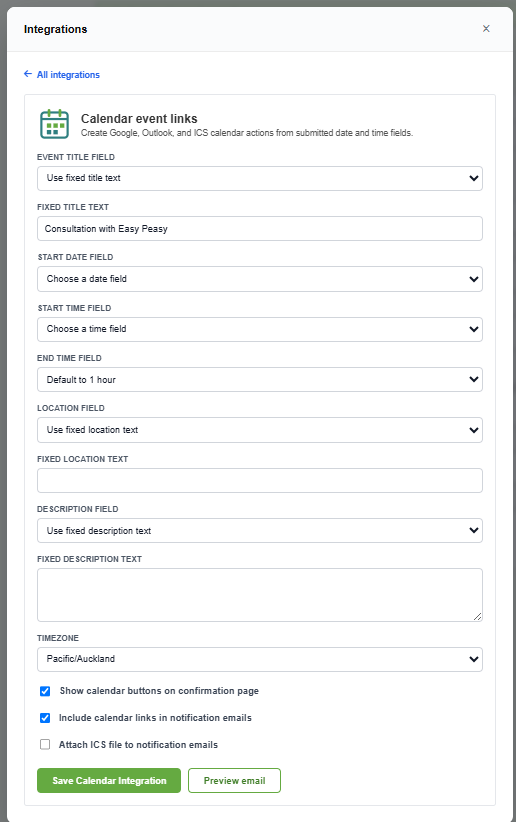
For example, your form might include:
- Name
- Preferred appointment date
- Preferred appointment time
- Notes or reason for booking
Once configured, the submitted entry can be used to create a calendar event with the right context included.
A simple way to reduce admin
This is especially handy for teams that take regular bookings or requests through forms. It keeps the process easy for the person filling in the form, while helping the team avoid double-handling behind the scenes.
Less copy and paste. Fewer missed appointments. A much more easy peasy workflow.